The unchained DAW

Record it. Route it anywhere. Keep it in tune.

Arrange audio and MIDI on the same tracks, host your own plug-ins, patch signals across the session, and automate the mix. A recording can stay a clip, split into stems, or become pitch-aware notes tied to the harmony.

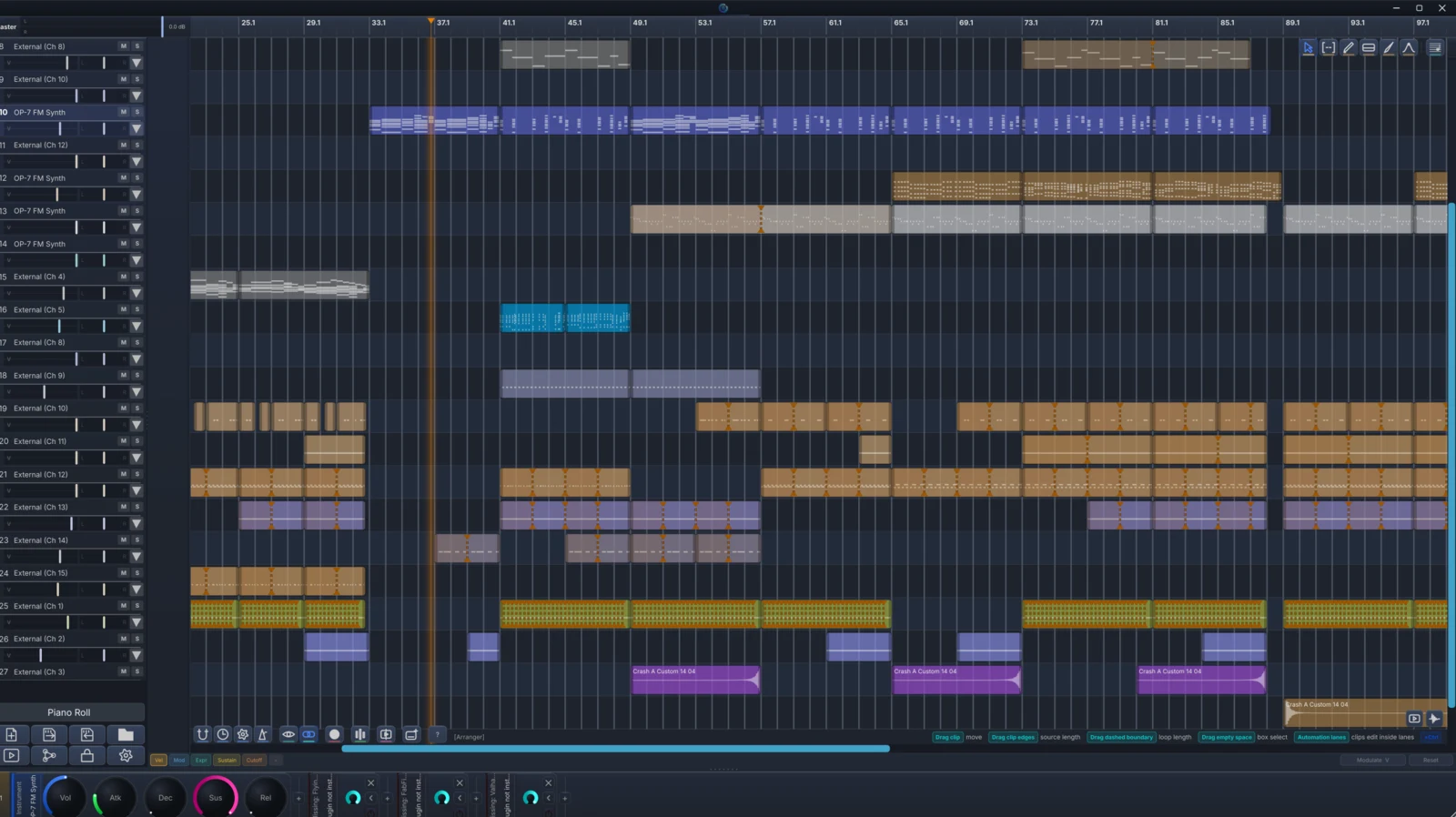
DonutStudio arranger showing a complete multitrack song with clips, patterns, and audio regions
The DAW is included

Finish a song before you add anything else.

DonutStudio Free records audio and MIDI, arranges both on the timeline, automates the mixer, and exports the finished track. Stem Separation is also Free. Per-Note Audio handles automatic conversion and resynthesis in Free; Pro adds manual pitch, formant, timing, split, heal, and transition editing.

  • Record audio and MIDI
  • Arrange clips and automate the mix
  • Export the finished track
Audio

Split recordings into stems or map their pitch and timing onto editable notes.

AudioFREEbeta

Stem Separation

Separate the mix locally.

Separate vocals, drums, bass, and the remaining mix locally, with GPU acceleration and a CPU fallback.

Included with DonutStudio Free
Inside the workflow

Pull vocals, drums, and bass out of a finished mix.

Choose two stems or four. DonutStudio separates the song on your computer and places the new clips in sync on the arranger, ready to mute, solo, process, or export.

  1. Mixed sourceOne stereo clip
  2. Local modelGPU · CPU · curated engine
  3. SeparatedVocals · drums · bass · other

The source stays local

The selected clip is processed entirely on-device.

Useful layouts

Choose a vocal pair or full four-stem result according to the remix task.

Real arranger output

Completed stems return as aligned project clips ready for mute, solo, effects, and export.

AudioFREE + PRO

Per-Note Audio

Put a recording on a note and tune it with the music.

Attach a sample to a note, turn a performance into MIDI, or resynthesize a vocal against the pitches you wrote. Free handles automatic conversion and resynthesis. Pro opens manual pitch, formant, timing, split, heal, and transition controls.

Inside the workflow

A recording opens into editable notes

Detect pitched material, map audio to notes, and reshape timing or pitch while keeping the source connected to the arrangement.

  1. SourceVoice · sample · performance
  2. AnalyzePitch + note boundaries
  3. ResynthesizeRetuned editable audio notes

Audio can belong to a note

Record directly into a note or attach source material for pitch-aware playback.

Multiple resynthesis paths

Use per-note sampling, transcription, or vocal resynthesis according to the material.

Exact tuning remains available

The resulting sound follows the linked frequencies carried by the project.